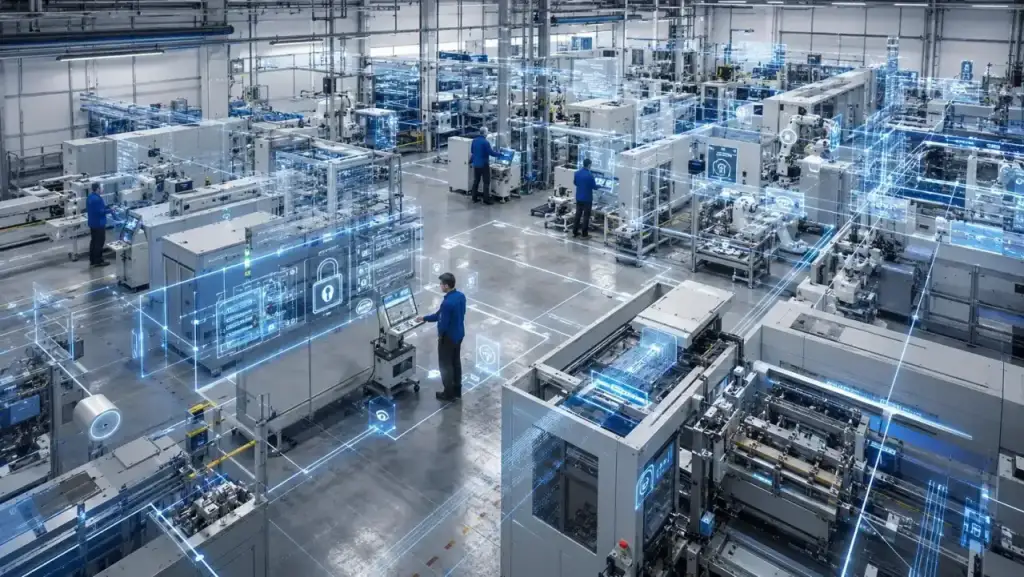

The line is running.
The data exists.
But SCADA and MES are not talking to each other, and in between them sits a sheet of paper.
SCADA-MES integration with OPC UA and .NET exists precisely to remove that sheet of paper: a middleware written in C# connects as a client to the SCADA's OPC UA server, receives process values the moment they change, translates them into the format the MES expects and writes them.
No transcription, no twenty-four hour delay.
It is eight in the morning.
The production manager opens the MES and reads that batch 4872 is "In progress".
That is all.
He does not know whether the machine is actually running, whether the temperature is within specification, whether any scrap has come off the line in the past two hours.
All of that information exists, updated to the second, inside a SCADA sitting thirty metres from his desk.
Nobody ever connected the two.
And so the ritual begins.
The operator phones the line supervisor.
The supervisor looks at the screen and copies the numbers by hand onto the shop floor sheet.
The sheet becomes a spreadsheet.
The spreadsheet reaches the MES the following day.
By the time the number gets to the person who has to decide something, it is already twenty-four hours old.
The decisions get made anyway, every day, on every line.
This is not a slide from an Industry 4.0 conference.
It is an ordinary day in hundreds of factories in 2026, from the small firm with a single line to the group with six plants and a different MES in each one.
I have watched this scene dozens of times, and the part that strikes me is never the technology.
It is that everyone inside the company already knows.
The line supervisor knows, the production manager knows, the plant director knows.
What is missing is the person who can stand in the middle, because whoever writes C# has never seen a PLC up close, and whoever knows the PLC has never written a service that has to hold up 365 days a year with nobody watching it.
Here you will find how that connection gets built: the map of the levels, the architecture that survives in production, how to write the OPC UA client in C#, and the three or four details that decide whether the system survives the first overnight MES update.
If you already work with C# and .NET, the gap to close is shorter than it looks.
The first step, though, is understanding why two systems sitting in the same building were born unable to speak to one another.
What a MES is and where it sits relative to SCADA in the ISA-95 production pyramid
There are two screens side by side in the control room.
One shows the furnace breathing, the other shows production order number 4872.
They are twenty centimetres apart and they have never exchanged a word.
The MES is level 3 of the ISA-95 pyramid: it sits above SCADA, which is level 2, and below the ERP, which is level 4.
SCADA watches the machine, the MES governs the production order, the ERP keeps the accounts.
ISA-95 is the international standard that establishes who sits on which floor and what information passes from one floor to the next.
The quickest way to understand it is to follow a single number as it climbs.
Take the temperature of zone 3 in furnace 1.
It is born at levels 0 and 1, where the sensor, the cable, the input card and the PLC close their control loop in milliseconds: down there the number is still just a voltage translated into degrees.
It climbs one floor and reaches level 2, the SCADA.
Here the number becomes something a human being can look at: it lands on a mimic display, feeds a chart, triggers an alarm if it goes out of range.
The SCADA's clock ticks in seconds.
One more floor and you reach level 3, the MES.
The MES does not care about the individual measurement at all.
What the MES cares about is knowing that this temperature belonged to batch 4872, produced with recipe B, on line 1, during the night shift.
Its clock ticks in shifts.
On the top floor, level 4, sits the ERP: SAP, Oracle, Microsoft Dynamics.
Up there the furnace temperature no longer exists.
What exists is conforming units, batch cost, updated stock.
That clock ticks in months.
The same journey, seen all at once, fits into four lines:
| ISA-95 level | Who lives there | What it does with that number | Clock |
|---|---|---|---|
| 0 and 1 | Sensor, cable, input card, PLC | Measures it and closes the control loop | Milliseconds |
| 2 | SCADA | Shows it on the mimic display, plots it, raises the alarm | Seconds |
| 3 | MES | Ties it to batch 4872, to the recipe, to the line, to the shift | Shifts |
| 4 | ERP: SAP, Oracle, Microsoft Dynamics | Turns it into conforming units, batch cost, stock levels | Months |
Every floor has its own clock, and that is the real difficulty of this trade: integration is not about moving bytes around, it is about getting clocks that tick at different speeds to agree without either of them slowing down.
The MES acts as translator in both directions.
Downwards it takes the planned order from the ERP, what to produce, how many units, by when, and turns it into operational instructions for the line: batch number, process recipe, target quantity.
Upwards it returns the actuals: units genuinely produced, raw materials genuinely consumed, non-conformities genuinely detected.
In between it holds batch traceability, recipe management, quality data, the OEE calculation (Overall Equipment Effectiveness, the main indicator of production efficiency), and the management of downtime and consumption.
These are the functions the MESA International standard assigns to this level.
On the market you will run into Aveva MES (the former Wonderware), Siemens Opcenter, Aveva PI System, and MES systems built in house or by local software houses.
In pharmaceuticals you can add GMP compliance (Good Manufacturing Practice), which raises the bar on traceability and audit trails to the point where any manual step becomes unthinkable.
The landing between the second and third floors is exactly where the .NET middleware this whole article is about lives.
And where nobody lives, that landing gets occupied by somebody else: an operator with a pen in their hand.
The problem with SCADA-MES integration: duplicated data, manual errors and late decisions

End of shift, ten past ten at night.
The operator looks at the screen, writes 1,240 on the shop floor sheet, signs it and goes home.
From this moment on, that number starts getting worse.
Without integration the same data gets collected twice, reaches the MES hours or days late, and the two systems end up telling two different truths about the same shift.
This is not an organisational annoyance: it is a loss that, in larger companies, ends up in reports to the board.
Follow that 1,240 and you can watch the damage pile up step by step.
First: while he is writing it, the number is already old.
The MES will receive it tomorrow morning, perhaps the day after.
If there was a quality problem running during that shift, by the time somebody notices, production has carried on for another full shift.
The delay is not a delay in information, it is a delay in reaction.
Second: the pen.
The screen said 1,204 and the sheet ended up with 1,240, because at ten at night two digits swap places and nobody notices.
In a pharmaceutical plant a transposed number is not a typing error, it is a batch on hold and an investigation that has to be closed in writing.
Third, and the most insidious because it is invisible: the systematic discrepancy.
The SCADA counts the units passing the end-of-line sensor.
The operator declares the packed units in the MES.
The difference should be the scrap, but the two sources often count at different points on the line, or mean two different things by the word "unit".
At the Monday meeting the two numbers do not match and the argument about who is right begins.
Without integration that argument never closes, because there is no automatic way to reconcile the two counts.
Fourth: somebody did the work twice.
The data was produced once by the SCADA and typed in a second time by a human being who is paid to do something else.
Double work, double risk, double cost, and one of the two steps adds nothing.
And it is exactly that double step which a .NET service placed between the two systems removes once and for all.
Estimates from the Manufacturing Enterprise Solutions Association, the industry body that defines MES standards, put between 5% and 15% the production efficiency that manufacturers lose because of systems that are not integrated. On a line producing 2 million euros of value a year, that means between 100,000 and 300,000 euros of value never realised.
Then there is the part nobody puts in a report, because it cannot be measured: the information that disappears along the way.
When an operator copies figures by hand, they choose.
They choose what is worth writing down and what is not.
The temperature spike that lasted eight seconds does not get written down.
The ninety-second micro-stoppage does not get declared, because under two minutes "it is not a real stoppage".
Those things stay inside the SCADA and never reach the MES.
The result is that the production history is incomplete by design, and nobody will ever be able to say by how much.
The missing piece is not the will to connect the two systems.
It is the connection itself, and the curious part is that the tool for building it is an open standard that manufacturers across half the world have already put inside their products, often without the buyers realising it.
That gap between 5% and 15% never appears in any set of accounts under its real name.
It is called lost efficiency, and the company pays for it one shift at a time while everybody looks the other way.
If you want to be the one who closes the gap, rather than the one who writes it up in the minutes, you start from the language that middleware is written in: the C# Course.
You come out able to build the service that sits between two systems that do not talk, not able to describe how it works.
Meanwhile, in that plant, the sheet of paper carries on doing the rounds.
OPC UA as the industrial integration standard: why it is the right choice in 2026
There is a precise moment, in the first project meeting, when somebody says the line: "let's have the SCADA write a CSV to a shared folder and the MES read it, we'll be done in two days".
It is a reasonable suggestion.
But there are three other people in that room, and each of the three will kill that proposal for a different reason.
OPC UA (OPC Unified Architecture) is the IEC 62541 standard for communication between industrial systems, and it is the correct choice in the vast majority of SCADA-MES integrations because it brings three things a CSV, a home-grown REST API or a shared database do not have: the meaning of the data, security inside the protocol, and event-driven updates instead of continuous polling.
The first objection comes from the process engineer, and it sounds like nitpicking: "87.3 of what?".
A CSV carries naked numbers.
A SCADA that exposes data over OPC UA does not expose a number: it exposes a tree of nodes with data type, unit of measurement, admissible range, description and hierarchical relationships.
The client does not receive "87.3", it receives the temperature of zone 3 in furnace 1, in degrees Celsius, with an admissible range between 80 and 95.
That context is the difference between data and information, and it does not fit into a CSV.
The second objection comes from the OT security manager, and it is not negotiable: that shared folder has to be reachable from both the plant network and the corporate network.
Translated: you have just designed a bridge between the two worlds and put a plastic padlock on it.
OPC UA provides authentication with X.509 certificates and TLS encryption inside the protocol itself, not as a layer bolted on afterwards.
It is the only thing that makes crossing the boundary between the OT network and the IT network acceptable.
The third objection comes from the SCADA administrator and it concerns load.
If your software asks for the value of two thousand tags every second, the SCADA server produces two thousand replies a second for a plant that perhaps changes state three times a minute.
OPC UA turns this around: the client creates a subscription, declares which nodes it wants to follow and with what minimum change (the deadband, the dead band below which it is not worth disturbing anybody), and then stays quiet.
It is the server that calls when there is something to say.
The three objections, lined up, are also the table you use the next time somebody proposes the shared folder:
| What you need | CSV on a shared folder | OPC UA |
|---|---|---|
| The meaning of the data | Naked numbers: "87.3" and nothing more | A tree of nodes with data type, unit of measurement, admissible range and description |
| Security on the IT/OT boundary | A folder reachable from both networks | X.509 certificates and TLS encryption inside the protocol |
| How updates happen | The client asks, always, even when nothing has changed | The server calls only when the value exceeds the dead band |
Add to that the fact that OPC UA is not one vendor's idea: it is an open standard maintained by the OPC Foundation and adopted by Siemens, ABB, Rockwell, Schneider and Beckhoff.
If the SCADA exposes an OPC UA server, your C# client connects to it without asking permission from anybody's sales department.
There is also OPC UA PubSub, introduced in more recent versions of the standard, which brings one-to-many communication onto MQTT or AMQP brokers: it is the route for architectures where several systems, cloud systems included, have to consume the same plant data.
The standard, though, only tells you how to talk.
It does not tell you where to put the software that does the talking, and the answer that looks cheapest, connecting the MES straight to the SCADA, is the same one that blows projects up twelve months later, when nobody remembers who decided what.
SCADA-MES integration architecture with .NET: the components of the system
Friday evening the IT department updates the MES.
It is a normal update, tested, authorised.
Monday morning the SCADA no longer receives the batch parameters and the line starts up in manual.
Nobody did anything wrong: it is the proof that the two systems were tied together with string.
The correct architecture puts a .NET middleware in between: the SCADA exposes process data through its OPC UA server, a C# application connects as a client, receives, translates and writes into the MES through its APIs.
SCADA and MES never touch each other directly, and that is the whole point of the design.
The reason is that the two systems live at different speeds in maintenance terms as well.
Touching a SCADA in production means a scheduled window, extensive testing and the plant manager's signature: it happens once a year, if it happens at all.
The MES follows normal IT release cycles, so it changes many times a year.
Tying them together means handing the continuity of the factory to the release calendar of a team that does not even know it is holding it.
The most honest way to describe the architecture is not to list the components, but to tell the story of how they come into being.
You start from an empty Windows service in .NET, and every piece you add, you add because something went wrong.
The first piece is the OPC UA client pointing at the SCADA's server.
The SCADA, whether it is Ignition, WinCC, iFIX, Aveva or a bespoke system, publishes its tags in the address space: temperatures, counters, machine states, alarm codes, all navigable like a tree of folders.
This part works almost immediately, which is why integration projects look easy in the first week.
The second piece is born at the first commissioning test, when you discover that the MES has no idea what "PL01.Z3.TEMP.PV" is.
You need a mapping table that translates SCADA tag names into the fields the MES expects, and that table has to be configurable without recompiling: plants change, tags get added, and you cannot make a release for every new sensor.
The third piece is born when you realise that the SCADA measures in degrees Celsius and the MES wants Kelvin, or that one counts units as integers while the other insists on a decimal with an explicit unit of measurement.
It is dull work, conversion and normalisation, and it is also the work nobody notices until it is missing.
The fourth piece is born on the first night of MES maintenance.
The MES is unreachable for three hours, the middleware carries on receiving data from the SCADA and has nowhere to put it.
If you have not planned a temporary store on disk, in those three hours the factory has produced and the production history has a hole in it that can never be filled.
The fifth piece arrives when a temperature of minus 9,999 degrees turns up in a report.
The middleware has to validate and filter before forwarding: it discards values with OPC UA quality "Bad", values outside the physically possible range, and pointless duplicates when the server-side dead band is not configured properly.
On the other side the MES receives whatever you send it through its REST APIs or, in more recent systems, by exposing an OPC UA server of its own.
It looks like the end of the line, and in fact one piece is still missing.
You only understand the last component when the customer disputes a batch from March.
The MES keeps what it needs to govern production and throws away everything else, including the high-resolution measurements nobody was looking at.
That is why a historian lives alongside the MES, that is a time-series database such as InfluxDB, TimescaleDB or Aveva PI System, which stores everything the SCADA measures at full resolution.
It is the only place where, eight months later, the answer still exists.
The .NET service that comes out of all this does five things, and none of the five is optional:
- It reads: it connects as a client to the SCADA's OPC UA server and subscribes to the tags that matter.
- It translates names: a mapping table takes "PL01.Z3.TEMP.PV" into the field the MES expects, and it can be changed without recompiling.
- It converts units: degrees Celsius against Kelvin, integers against decimals with an explicit unit of measurement.
- It accumulates when the MES is down: a temporary store on disk covers the overnight maintenance windows.
- It filters before forwarding: out go the values with "Bad" quality, the physically impossible ones and the pointless duplicates.
The design holds up.
The point is that the entire architecture rests on a single object, the OPC UA session towards the SCADA, and sooner or later that session drops.
What happens in the following thirty seconds is what separates a laboratory middleware from one that lives in a factory.
Implementing an OPC UA client in C# to read data from the SCADA

First real day on the job.
Visual Studio open, new project, and the feeling that you have to learn an entire world before writing a single useful line.
The truth is that the useful lines are few and they all sit in the first hour.
The OPC UA client in C# is built with OPCFoundation.NetStandard.Opc.Ua, the official NuGet package from the OPC Foundation: you configure the application and its certificate, open a session towards the SCADA's server, browse the node tree to find the ones you need, create a subscription and declare what you want to follow.
From that moment on it is the server that calls you.
It is not a third-party library built on top of the standard: it is the library the SCADA vendors themselves use inside their own development kits, it supports .NET Standard 2.0 and is therefore compatible with .NET 6, .NET 7, .NET 8 and later versions.
It installs like any other NuGet package, with a single command: the hard part of this trade has never been the installation.
The concept everything rests on is the subscription, and it is worth reaching it through a picture rather than a definition.
Polling continuously is like phoning a colleague every sixty seconds to ask whether the delivery has arrived: it works, but after half a day they stop answering.
A subscription is leaving them your number and saying "you call me when it arrives, and only if the lorry is bigger than a van".
The OPC UA Subscription object does exactly this, and the MonitoredItem is the single thing you have asked it to watch.
In practice you configure two objects and a handful of numbers, and it is those numbers that decide whether the system works.
On the subscription you declare how often at most you want to be disturbed, for example a publishing interval of 1000 milliseconds, and the two counters that tell the server how long to keep the subscription alive and how often to send you a sign of life even when nothing is happening.
On each individual tag you want to watch you declare two things: what to look at, and with how much sensitivity.
What to look at is the node identifier, which has a form like "ns=2;s=PL01.Z3.TEMP.PV" and is nothing more than the address of that tag in the SCADA's tree, namespace plus path.
The sensitivity is three numbers: server-side sampling every 500 milliseconds, a queue of ten values so that nothing is lost between one publication and the next, and an absolute dead band of 0.5 degrees.
It is the last of the three that really counts: with 0.5 the server calls you when the temperature genuinely moves, with zero it calls you at every flicker of the sensor and fills your network with noise that somebody will have to filter out downstream.
From there on your code stops asking anybody for anything: it registers a method to be called when a notification arrives, and waits.
And that notification carries three pieces of information, not one: the value, the sampling and reception times, and the quality of the data.
It is the third field that will save you from an unpleasant meeting.
Quality in OPC UA has three states and they have to be handled in three different ways.
"Good" means the sensor is working and the number is credible.
"Bad" means the number is not reliable, because the sensor has failed or the communication between PLC and SCADA has been interrupted.
"Uncertain" is the grey area: sensor under calibration, value at the edge of the input range.
The operating rule is blunt: a value that is not "Good" never enters the MES as process data, but it does get recorded as an anomaly event, because the fact that the sensor was blind is itself a valuable piece of information.
The other delicate point is the session dropping.
An industrial network is not the internet: managed switches, dedicated VLANs, and every packet that travels on it was put there by somebody.
But disconnections happen anyway, for network maintenance, scheduled SCADA restarts, firmware updates.
The OPC Foundation library includes the SessionReconnectHandler, which hooks into the KeepAlive event and tries to stitch the session back together on its own.
The mechanism is simple to describe and easy to get wrong.
The KeepAlive is the heartbeat client and server exchange to tell each other they are still alive: when the status that comes back is "Bad", you start one reconnection attempt with a ten-second window.
One attempt only.
The mistake I see most often is starting a new one at every heartbeat while the first is still working: within a minute the service has twenty reconnections running in parallel towards a SCADA that was already struggling, and what was a network problem has become your problem.
While the reconnection is under way, the middleware neither dies nor refuses: it carries on accepting the commands arriving from the MES and queues them, and when the session comes back it processes them in order.
It is about ten lines of code, and it is the difference between a service that recovers on its own at three in the morning and one you find switched off at seven, with somebody giving you a hard look.
So far you have built an ear.
It works, it listens, it disturbs nobody.
The day the MES asks to speak, and not only to listen, the kind of responsibility you have taken on changes: because a wrong reading produces a wrong number, whereas a wrong write moves something physical inside a building full of people.
Sending commands between SCADA and MES in both directions: writing OPC UA variables
The MES sends the recipe change.
The machine is running.
Up to here it is a software problem, from here on it is a plant problem.
Writing an OPC UA variable is the moment your code stops looking and starts touching: the MES sends the command to the middleware, the middleware in C# writes the node or calls a Method on the SCADA, reads back a status node to confirm the command was accepted, and only then replies to the MES.
Never before.
Two things change compared with reading.
The first is that not every node is writable, and rightly so: the values of physical sensors are read-only, while setpoints, commands and recipes are the few points where the server agrees to be modified.
The second is that the error does not stay inside the computer.
Writing a wrong value into a database costs you a correction query.
Writing a wrong setpoint onto an industrial furnace costs you the batch, and in some cases a great deal more than the batch.
This is why validation has to happen before the write, not after the phone call, and the questions to ask are always the same four:
- Is the value within the admissible range?
- Does the data type match the node's?
- Is there already a pending command on the same node?
- And above all, does the state of the machine allow this change right now?
You do not change the recipe with the line running, and this is not a software rule, it is a shop floor rule that the software has to know.
Then there is the detail that separates people who have worked in a plant from people who have not, and it is the outcome of the write.
An OPC UA write that fails does not throw an exception: it returns a status code for each value written, and if you do not read it your service carries on happily convinced it has changed the recipe on node "ns=2;s=PL01.RECIPE.SET" while the SCADA quietly rejected it.
Checking that status, writing the error code to the log along with the node concerned, and passing the failure back to whoever sent the command is a few minutes' work.
Not doing it means turning up at the next day's meeting with the one sentence you cannot afford: "as far as I could tell, it went through".
When the command is made up of several values, writing one variable at a time is a silent risk: if the third write fails, the machine is left with two new parameters and one old one, in a state nobody ever designed.
OPC UA solves the problem with Methods, functions the server exposes and the client calls with input and output parameters.
A Method such as "StartBatch(orderNumber, productCode, targetQuantity)" is executed by the SCADA as a single operation: either all of it applies, or none of it does.
When the SCADA makes one available, using the Method instead of three separate writes is one of those choices that saves you the Monday investigation.
In the opposite direction, when it is the SCADA that has to tell the MES something has just happened, end of batch, critical alarm, machine state change, there are two routes.
You can watch the status tags with a MonitoredItem and react to changes, which is the simpler route and works everywhere.
Or you can use OPC UA Events, typed events the SCADA generates and the client receives already structured, with severity and source: more elegant, richer, and available only if whoever configured the SCADA did their job all the way through.
The recommended pattern for critical commands (production start/stop, recipe change) is this: the MES sends the command to the middleware, the middleware writes the OPC UA node or calls the Method on the SCADA, waits for confirmation of execution by reading a status node, and only then notifies the MES of the outcome. This confirmation loop is essential to prevent the MES treating as executed a command the SCADA never received.
One assumption remains that nobody puts in writing: that the number you read back for confirmation is true.
And numbers coming out of a plant, every so often, lie with a perfectly straight face.
The detail about the outcome of the write is in no tutorial.
You learn it in one of two ways: by getting it wrong on a real plant, with somebody giving you a hard look at seven in the morning, or by having somebody tell you first.
On the C# Course we work on the second way, and on your code, not on a textbook example.
I tell you where it will break months before the machine does.
A wrong value in a database you fix with a query.
On a running furnace, you do not.
Handling data quality: timestamps, out-of-range values and broken connections
The night between Saturday and Sunday.
The furnace temperature chart is a straight line, perfect, motionless for thirty seconds.
A real furnace never draws a line like that: that line means something has come loose and nobody has said so.
A process value has to be judged on three things before it is forwarded to the MES: which clock its timestamp came from, what quality the OPC UA server attached to it, and whether the value is physically possible on that machine.
If you skip even one of the three checks, the MES receives numbers that are credible and false, which is the worst category of error there is.
This is the chapter the tutorials never cover, because in a laboratory none of it ever happens.
Back to that straight line: the OPC UA server was still exposing the tag, but with quality "Bad".
The value was frozen at the last good communication.
A middleware that ignores quality and forwards anyway sends the MES a value that looks fresh and is half a minute old, and on a fast-moving process half a minute is a different factory.
The rule is the one already seen: only "Good" passes as process data, everything else becomes a "sensor communication loss" event with a start and an end.
Then you look at the time on that value and realise there are three different clocks in play.
The SourceTimestamp says when the value was sampled on the PLC and SCADA side.
The ServerTimestamp says when the OPC UA server received it.
And then there is the clock of the operating system your service runs on.
In a real plant these three clocks drift against one another, by seconds even, and if the MES records using the middleware's time while the SCADA records using its own, the same events end up in a different order in the two systems.
Always use the SourceTimestamp as the time of the data, keep every server in the plant synchronised over NTP, and when the SourceTimestamp is absurd, in the future or far older than expected, flag the value as suspect instead of believing it.
The third piece of trouble arrives on schedule the night the MES gets updated.
The middleware collects and accumulates, and the question becomes: how big does the temporary store need to be?
You size it on two numbers, the maximum expected duration of MES unavailability, usually an overnight window of two to four hours, and the sampling frequency of the fastest tags.
Too big wastes memory, too small loses data exactly when it matters.
For serious volumes, in the order of millions of points, SQLite is the pragmatic choice: it lives inside the process, it does not ask anybody for another server, and it handles the fast sequential writes that are the daily bread of an industrial middleware.
The last piece of trouble is the most theatrical.
Industrial sensors fail, and when a thermistor breaks it does not return a slightly odd value: it returns that minus 9,999 degrees, or 99,999.
That number passes the PLC, passes the SCADA, comes out of the OPC UA server looking innocent and, if the middleware does not stop it, enters the historian and the production indicator calculations, where it will stay forever.
You need a table of physical ranges for every tag, an explicit rejection and a log line saying what was thrown away and why: you throw away the value, not the news that the sensor is dead.
The three checks, with the symptom that triggers each one, are these:
| The check | How it shows up in the plant | What the middleware does |
|---|---|---|
| The time of the data | The three clocks drift and the same events end up in a different order in the two systems | Uses the SourceTimestamp, keeps the servers synchronised over NTP, flags absurd times as suspect |
| The quality declared by the server | The value stays frozen at the last good communication and looks fresh | Forwards only "Good", everything else becomes a communication loss event with a start and an end |
| Physical plausibility | The broken thermistor returns minus 9,999 degrees, or 99,999 | Compares against the table of physical ranges, discards the value and logs what it threw away and why |
With the three checks in place, your data is clean, timestamped and credible.
And it is ready for the journey almost nobody warns it about: the MES is not the end of the line.
Integration with SAP through the MES: the full flow from machine to enterprise system
End-of-month meeting.
Management accounting says SAP shows 11,400 units, the MES declares 11,640, and for an hour and a half the discussion is about who is right instead of what to do.
I watched that meeting repeat itself every month for two years running.
Production data goes round a full circuit in three stages: SAP generates the order, the MES schedules it and opens the batch, the .NET middleware writes the parameters into the SCADA; the machine produces and the middleware reports the actuals back to the MES; at the end of the batch the MES closes the order in SAP with a production confirmation.
Understanding this circuit matters even for someone who only touches the first stretch, because the shape of the data you collect depends on how it will end up in SAP.
In the downward phase SAP generates the production order with its whole retinue: product code, bill of materials version, quantity, required date, cost centre.
The MES takes it, picks an available line, opens the batch with a unique traceability number.
At that point it is the middleware's turn: it writes the batch number, the process recipe, the target quantity and the expected cycle time into the SCADA.
The factory now knows what it is about to do, and it knows because your C# service told it.
In the production phase the SCADA does its job: it counts units, records stoppages, measures quality parameters.
The middleware reads in real time and writes into the MES, which updates batch progress and calculates OEE while the line is still running.
It is the first time the production manager sees a real number before the end of the shift, and it is also the moment the project stops being a budget line and becomes something people actually use.
In the upward phase the MES books the order back in SAP: units produced, raw materials consumed, processing times.
In SAP this becomes a Production Confirmation (MIGO or CORK in the production transactions) which moves stock, production costs and item availability.
From there on, the number that was born on a sensor has accounting consequences.
There are three difficulties on this circuit and they always turn up in the same order.
The first is the most mundane and the most lethal: units of measurement.
SAP handles materials with the units from the material master, units, kilos, litres, metres.
The SCADA measures in physical units that often do not match, counter pulses, sensor millivolts, raw units.
The MES is where the conversion happens, but the middleware has to know the conversion factors too, otherwise the end-of-month argument starts all over again.
The second difficulty is the bill of materials version.
SAP can hold several versions of the same bill of materials, and which one is valid depends on the date.
When the MES passes the bill of materials to the middleware, you have to verify it is the version currently valid in SAP, because producing with last year's bill of materials is a mistake no system flags until the product is tested.
The third difficulty is not solved with code, and it is only fair to say so.
The SCADA records the unit rejected at the in-line inspection.
SAP distinguishes between scrap and rework, and that distinction has different financial consequences.
No middleware can decide in place of the quality manager: the system flags, proposes, traces, but the final classification stays with a person.
Anybody promising otherwise is selling you something.
These are the three things you carry with you into every project of this kind, in the order in which they appear:
- Units of measurement: SAP uses the ones from the material master, the SCADA measures in counter pulses and millivolts, and the middleware has to know the conversion factors as well.
- The bill of materials version: SAP can hold more than one and which is valid depends on the date, so you have to verify it is the current one before going into production.
- Scrap classification: scrap or rework have different financial consequences, and the final decision stays with the quality manager.
The MES remains the decoupling point between the two worlds: the SCADA knows nothing about SAP, SAP knows nothing about the SCADA, and that mutual ignorance is an asset.
The day the company changes its SCADA, the SAP integration is left untouched.
The day it changes its enterprise system, the factory does not notice.
One question remains that we have skipped over so far, and in many plants it is the first to be asked, not the last: how does your service stand with one foot in the plant network and one in the corporate network without opening a door to people who should not come in.
Security in SCADA-MES integration: crossing the IT/OT boundary without opening gaps
You present the project, everything goes smoothly, then the OT security manager speaks and says a single sentence: "where does this software talk to us from?".
If you do not have the answer ready, the project stops right there, and he is right.
The .NET middleware lives in the DMZ between the two networks: towards the OT network it talks only to the SCADA's OPC UA server, on a single port (typically 4840), towards the IT network it talks only to the MES APIs.
There is no direct route between the OT network and the IT network, and your service is the only crossing point provided for.
OPC UA helps because security is inside the protocol, not stuck on top of it.
Every connection is configured at one of three levels: no security, which exists only to make the demo work and has no place in production; message signing with an X.509 certificate, which guarantees who is speaking; signing and encryption, which also hides what is being said.
The minimum acceptable level is signing, the right choice is signing and encryption.
Certificate management is the dullest part of this trade and it is also the part that costs you your first afternoon on site.
The server has one certificate, the client has another, and the two have to trust each other: until the SCADA administrator approves your client's certificate in the trusted store, the connection is refused and the error message will never tell you clearly why.
In larger organisations the process goes through the internal PKI, which adds time and forms to fill in.
Put it in the project plan the first time, not the second.
On application authentication the rule is an old one and nobody follows it: the middleware connects with a dedicated account holding minimum permissions, read on the process tags and write only on the command nodes it genuinely needs.
Using an administrator account because "it is an internal service anyway" means that the day that process is compromised, the attacker inherits the whole plant instead of four nodes.
Then there is the audit trail, which is the part that distinguishes an industrial project from a business software project.
Every write towards the SCADA has to be recorded in an immutable log with time, value written, previous value, outcome and application identity.
In regulated plants, pharmaceutical, food, chemical, this is not an improvement: it is required by FDA 21 CFR Part 11 and by European Good Manufacturing Practice, and in an audit it counts as much as the code.
None of this is in any C# course.
It is the reason the company hiring for this role is not looking for "a .NET developer", and in the end the question is what it is really looking for, and how much it is prepared to pay for it.
Nothing you have read above is in an ordinary C# course.
It sits in the head of somebody who has crossed that boundary with a real project in hand, and it transfers in one way only: by looking at the code of the person learning.
The C# Course is where that happens, with me, not with a video.
If it turns out from our conversation that this path is not for you, I will tell you before we start.
I work with people personally, so places are few and I do not take everyone.
Who is looking for a .NET developer who can integrate SCADA and MES?

An engineer at a mechanical engineering firm in northern Italy put it to me in these words: "we searched for eight months. We found either people who can build websites, or people who can do PLCs. Somebody who could do both, never".
Anyone who can build a SCADA-MES integration in .NET occupies an empty slot in the market: companies find C# developers and they find automation technicians, almost never the same person with both sets of skills.
It is a boundary role, and boundaries are where profiles are worth the most.
The context helps explain why demand is not falling.
Italian manufacturing is the second largest in Europe after Germany's, accounting for 14% of the European Union's sold industrial production against Germany's 26% (Eurostat, 2024): mechanical engineering, pharmaceuticals, food, ceramics, paper, textiles.
These are plants generating data without interruption and which, in most cases, still have SCADA and MES that do not talk to each other, or that talk through a person holding a sheet of paper.
The bottleneck is not willingness.
It is that a developer who has only grown up in the IT world, C#, APIs, relational databases, has never held a field protocol and does not know what it means for a value to have a quality.
And an automation technician who knows PLCs, SCADA and industrial networks does not have the tools to build a service that will hold up for years without maintenance.
It is nobody's fault: the education system raised the two of them in separate buildings, and nobody ever opened a door between them.
The hardest positions to fill at system integration firms specialising in Industry 4.0 are exactly this: .NET developers with a knowledge of industrial protocols (OPC UA, Modbus, Profinet) and an understanding of IT/OT architecture. These roles pay above the average for conventional application development, with benefit packages and the option of hybrid working.
The salary bands for industrial .NET, level by level, are in the article on modernising legacy SCADA systems.
The first call, for anyone entering this world, almost always comes from a system integration firm: Accenture Industry X, European groups such as Reply and Engineering, and dozens of smaller and highly specialised outfits that build integration platforms on behalf of manufacturing clients.
You work on a variety of projects, you see a lot of plants in a short time, and you learn fast because there is no alternative.
After a couple of years the people who build the MES come looking for you.
Aveva, Siemens and the specialist software houses need developers who can write OPC UA connectors for the most varied SCADA systems, which is product work rather than project work: fewer plants, more depth, longer cycles.
The third door is the one you will not find in the job listings.
Large manufacturers with an in-house IT department, Barilla, Luxottica, Brembo to name three whose products you have almost certainly used, look for these people and often look badly, by word of mouth, because they do not know what the profile they need is called.
Whoever comes in through that door becomes the technical reference point for the plant, and never loses that position again.
The path to building the profile, starting from C# and .NET, has three steps in sequence:
- Study the basics of the industrial world: what a PLC does, how OPC UA works, what the ISA-95 model says.
- Get real practice against a test OPC UA server, for example with simulators such as Prosys OPC UA Simulation Server, until you can handle subscriptions, data quality and reconnection.
- Work on a real plant, however small, where the consequences of mistakes genuinely exist.
The third step is the one you cannot buy on a video platform, and it is also the only one the market counts as experience.
It is the jump that on your own takes years and a lot of wasted attempts, because nobody tells you which of your mistakes are normal and which are structural.
A guided path shortens that curve, and not because it contains secret information: because somebody looks at your code and tells you where it will break.
I work with people personally, so places are limited and I do not take everyone.
If it turns out from our conversation that this path is not for you, I will tell you before we start: it is more honest and it saves us both time.
The line is running.
The data exists.
Somebody has to make it speak, and right now the companies looking for that somebody far outnumber the people able to answer.
In twelve months that somebody will exist.
They will have joined a system integrator, got their hands on their first plant and stopped wondering whether they can do it.
The only variable is whether it is you or somebody else, and the market does not decide that: you decide it now.
The C# Course is the point where this stops being an idea going round in your head and becomes a date in the calendar.
Whoever carries on reading articles will, in twelve months, be reading other articles.
Frequently asked questions
MES stands for Manufacturing Execution System. It is the software that manages production execution at the shop floor level: it receives production orders from the ERP, assigns them to production lines, tracks progress in real time, records material consumption, monitors quality, and calculates KPIs such as OEE (Overall Equipment Effectiveness). It is the middle layer between the physical world of SCADA and the administrative world of ERP.
SCADA and MES live in two different worlds. SCADA belongs to OT (Operational Technology): it measures the physical world in milliseconds, has extremely high availability requirements, and often runs on isolated networks. MES belongs to IT: it handles business logic, integrates with ERP and CRM, and follows normal software release cycles. Making them communicate means crossing the IT/OT boundary with all the security, data format, and update frequency challenges that entails.
OPC UA (OPC Unified Architecture) is the IEC 62541 standard protocol for communication between industrial systems. Compared to alternatives (custom REST APIs, CSV files, shared databases), it offers three key advantages: a standardized object model that describes data semantically, built-in security with X.509 certificates and TLS encryption, and a publish/subscribe mechanism that allows the MES to receive updates as soon as values change, without constant polling.
The official library is OPCFoundation.NetStandard.Opc.Ua, available on NuGet. It is maintained by the OPC Foundation, the body that defines the standard, and supports both client mode (for reading and writing nodes on a SCADA server) and server mode (for exposing data from a .NET application). It supports .NET Standard 2.0 and is therefore compatible with .NET 6, 7, 8 and later.
ISA-95 is the international standard (ANSI/ISA-95) that defines data models and interfaces between industrial control systems and management systems. It defines a five-level automation pyramid (from the physical field to the ERP) and specifies which information must flow between each level: production orders, output declarations, material consumption, quality data. Following ISA-95 in SCADA-MES integration ensures that data has a shared meaning between the two systems.
The OPC Foundation library includes the SessionReconnectHandler pattern that automatically handles reconnection attempts when a session is interrupted. The client monitors the KeepAlive event: when the status becomes Bad, it starts the reconnection process with exponential backoff. In the meantime, a local buffer (in-memory queue or SQLite) saves data received before disconnection to avoid losing it. When the connection is restored, the buffer is flushed to the MES.
A .NET developer with industrial integration skills (OPC UA, field protocols, IT/OT architecture) is a rare hybrid profile. Annual salaries for senior positions at specialized system integrators or industrial IT departments range from 45,000 to 65,000 euros, with peaks above that for those with specific experience in SAP integration or pharmaceutical plants (where GMP compliance adds significant value). Demand consistently outpaces supply in the Italian market.
Lascia i tuoi dati nel form qui sotto